
Download BetterPrivacy – Free Firefox Super‑Cookie Cleaner
Overview
BetterPrivacy is a lightweight, free Firefox add‑on designed to hunt down and erase “super cookies” – technically known as local shared objects (LSOs). Unlike regular HTTP cookies, LSOs can store massive amounts of data and persist even after you clear your browser history, making them a favorite tool for invasive trackers. BetterPrivacy doesn’t interfere with your normal browsing flow; instead, it silently scans the hidden folder where LSOs reside and removes any that were created during your session.
The add‑on works out‑of‑the‑box with sensible defaults, but power users can fine‑tune the removal schedule, whitelist trusted LSOs, and dive deep into the built‑in help pages for a full technical breakdown. Since LSOs are commonly used by video players, Flash‑based games, and some advertising networks, eliminating them can dramatically reduce the amount of personal data that third parties retain about you. BetterPrivacy’s latest update brings a refreshed detection algorithm, improved hash‑matching for unknown LSO formats, and an expanded FAQ that clarifies the privacy implications of each setting.
If you value a clean digital footprint and want a free, secure way to keep Firefox free of hidden trackers, BetterPrivacy offers a straightforward solution without the bloat of full‑scale privacy suites.
Key Features
- Automatic detection and deletion of LSOs (super cookies) after each browsing session.
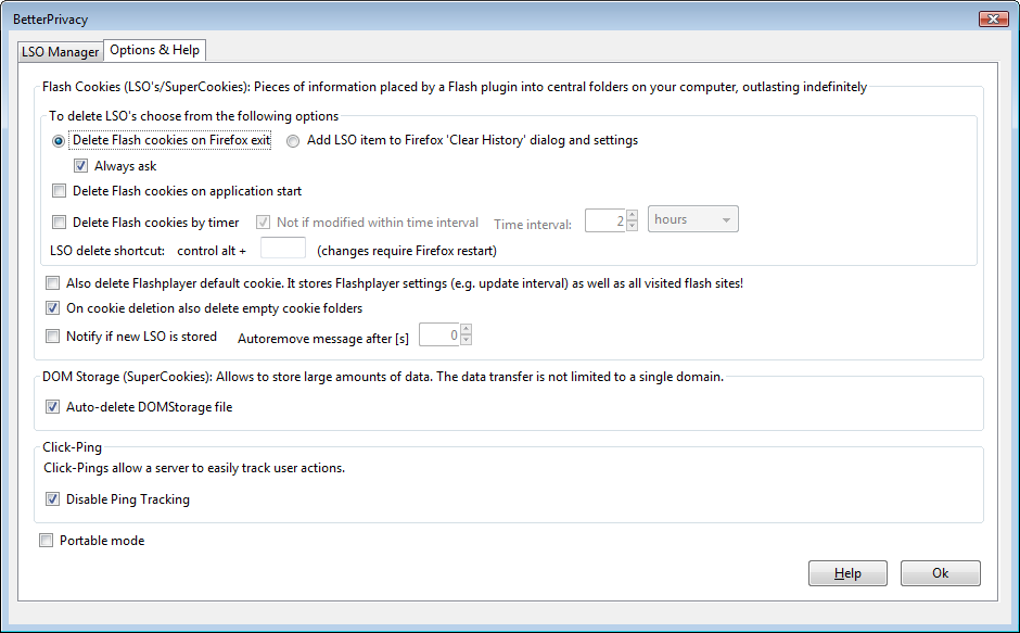
- Configurable removal schedule – choose to delete LSOs on exit, after a set time, or manually.
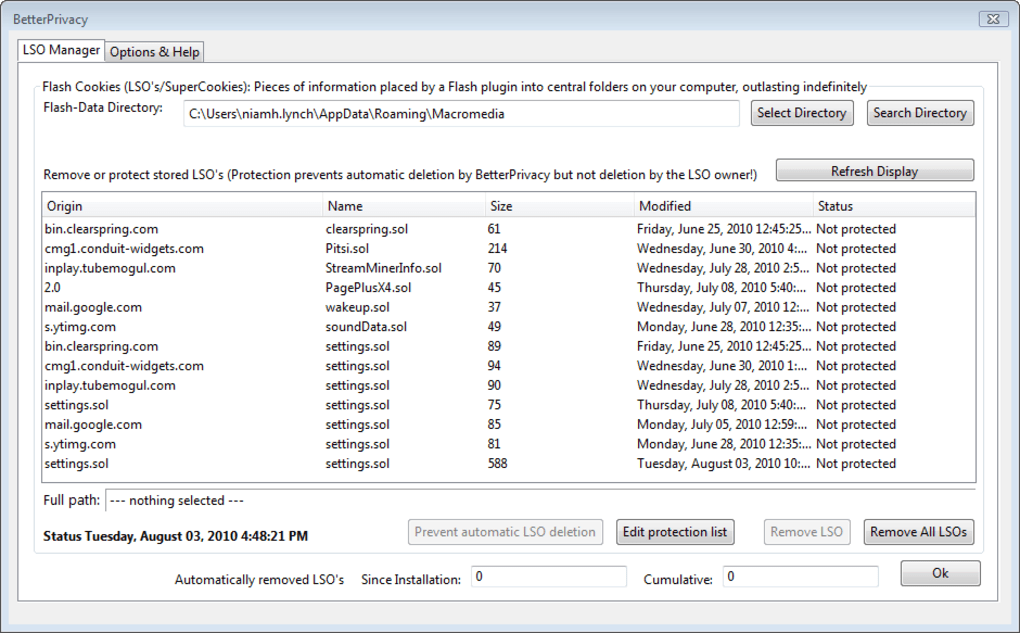
- Whitelist support – keep LSOs that are required for legitimate services (e.g., video playback).
- Comprehensive help and FAQ that explain LSO behavior, privacy risks, and troubleshooting steps.
- Lightweight footprint – the add‑on uses minimal CPU and memory, preserving Firefox’s performance.
- Frequent updates with enhanced detection algorithms and expanded classifier data for new LSO types.
- Open‑source code base, allowing community audits for security and transparency.
Installation, Usage & Compatibility
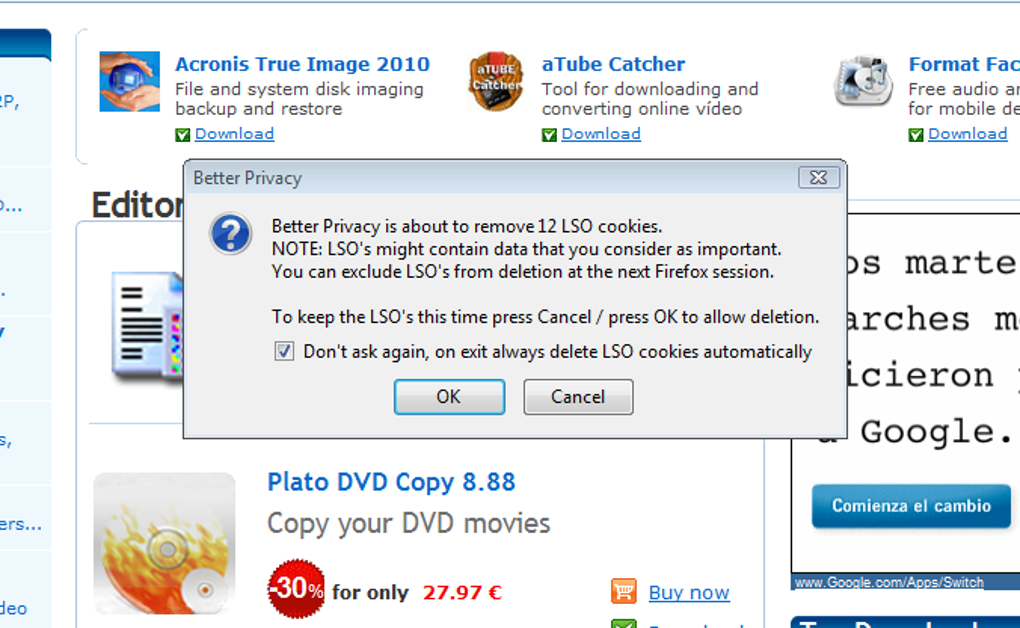
Installing BetterPrivacy is as simple as any other Firefox extension. Open the Firefox Add‑ons Manager (menu → Add‑ons and Themes), search for “BetterPrivacy,” and click “Add to Firefox.” After a quick permission prompt, the add‑on appears as an icon next to the address bar. The first run automatically creates a default configuration that deletes all LSOs when you close the browser. For users who prefer more control, click the BetterPrivacy icon and select “Options.” Here you can adjust the deletion trigger (on exit, after a set interval, or manually via the “Delete Now” button), and add specific LSOs to the whitelist. The UI is intentionally minimalistic, ensuring that privacy protection does not become a source of confusion.
BetterPrivacy is built exclusively for the desktop version of Firefox on Windows, macOS, and Linux. The add‑on leverages Firefox’s native APIs, so it inherits the browser’s security sandbox and runs without elevated system privileges. Because LSOs are stored on the local file system, the add‑on reads the standard LSO directory (usually located under your user profile) and securely wipes the files using the operating system’s file‑deletion routines. This means that the add‑on works reliably across all supported operating systems, provided you have the latest Firefox release (version 115 or newer). Mobile Firefox does not currently support this extension, but the desktop experience is robust enough for most privacy‑focused users.
Pros and Cons
Pros
- Free and open source: No hidden fees or subscription required.
- Effective LSO removal: Targets a tracking method many users overlook.
- Low resource usage: Runs in the background without slowing Firefox.
- Customizable schedule: Choose when and how LSOs are deleted.
- Extensive documentation: In‑app help and FAQ cover technical details.
Cons
- Only available for desktop Firefox – no support for mobile browsers.
- Does not block other tracking methods (e.g., fingerprinting, standard cookies).
- Whitelist management can be confusing for beginners who need specific LSOs retained.
- Relies on Firefox’s extension API; future browser changes could affect compatibility.
- Limited visual feedback – users must check the log or FAQ to confirm deletions.
Frequently Asked Questions
What exactly is a “super cookie” and how does it differ from a regular cookie?
A super cookie, technically called a local shared object (LSO), is a piece of data stored by plugins such as Adobe Flash. Unlike HTTP cookies, LSOs are saved on your hard drive in a hidden folder and can hold far more information (up to several megabytes). They persist even after you clear your browser’s cookie store, making them a powerful tracking tool for advertisers and analytics platforms.
Will BetterPrivacy affect the functionality of websites that rely on LSOs?
In most cases, websites will function normally without LSOs because modern HTML5 storage has largely replaced them. However, some older video players or Flash‑based games may require LSOs for settings or playback. BetterPrivacy’s whitelist feature lets you preserve specific LSOs, ensuring those services continue to work while still removing unwanted trackers.
How often does BetterPrivacy check for new LSOs?
The add‑on scans the LSO folder each time the configured trigger fires. By default, it runs once when you close Firefox. You can change the schedule to run on a timer (e.g., every 30 minutes) or manually trigger a scan via the “Delete Now” button in the options panel.
Is BetterPrivacy safe to use on corporate or shared computers?
Yes. BetterPrivacy operates within Firefox’s sandbox and does not require administrator rights. It only accesses the LSO directory within the user’s profile, ensuring that it cannot delete system files or affect other users on the same machine.
Can BetterPrivacy be used together with other privacy extensions like uBlock Origin?
Absolutely. BetterPrivacy focuses solely on LSOs, while tools like uBlock Origin block network requests, scripts, and trackers. Running them side‑by‑side provides a layered privacy approach without conflicts, as each extension works in a different part of the browsing stack.
Conclusion & Call to Action
BetterPrivacy fills a niche that many mainstream privacy tools overlook – the removal of hidden, persistent super cookies that can silently profile you across the web. Its free, open‑source nature, combined with a minimal performance impact, makes it an excellent addition to any Firefox user’s privacy toolkit. While it doesn’t replace comprehensive anti‑tracking suites, it complements them by eliminating a specific, often‑missed data store.
If you’re serious about reducing your digital footprint, download BetterPrivacy today, enable the default settings, and enjoy a cleaner, more secure browsing experience. For power users, explore the whitelist and scheduling options to tailor the protection to your workflow. Remember, privacy is a habit, not a one‑time fix – keep your extensions up‑to‑date, review the FAQ regularly, and stay informed about emerging tracking technologies.







